Philip Williams
18 February 2026
Previously I have written about how useful public cloud storage can be when starting a new project without knowing how much data you will need to store. However, as datasets grow over time, the costs of public cloud storage can become overwhelming. This is where an on premise, or co-located, self-hosted storage system becomes advantageous: it provides the greatest range of benefits, including cost, performance, security, and data sovereignty. In this article we will briefly cover the storage use cases that might be suitable for your own storage system, and what the cost savings could look like.
Growing storage workloads
Cloud computing services such as AWS S3, Azure Blob, and GCP GCS provide immediate access to compute, storage, and networking resources, which allow you scale up and down depending on current and future needs. This can be critical for when you have sudden major increases in use, for example at product launches or real-life events that spike usage, such as sporting events. Once the spike has dropped back to normal, you can scale resources back to typical levels. However storage usage tends to be a little different: while the rate of access (or IO) may change for peaks in workloads, most datasets only grow in capacity.
For example, datasets like an archive or media repository typically consume the greatest amount of storage, have well-understood growth rates, and are very unlikely to ever decrease in size, as the data they hold is of some reasonable importance.
Sometimes datasets like these are also seldom accessed, but it is important that the data remains readily accessible. While public clouds do provide different classes of storage service, offering reduced performance or significantly increased retrieval times, at a lower cost per GB, a self-hosted solution can still be more cost effective, depending on your use case.
A different way
For data sets that have predictable growth rates and therefore do not need the burstability of public cloud storage, a more cost-effective approach is to utilize an on-premise or co-located storage system. The location is important: you should maintain close proximity with the majority of users. This could be in an office, or a co-location facility near to a public cloud where you utilize compute services.
Building your own storage system (with the help of Canonical, should you need it) puts you in control of the hardware used in that storage system, when and how it should grow, and also provides you with greater control over a core business asset:data.
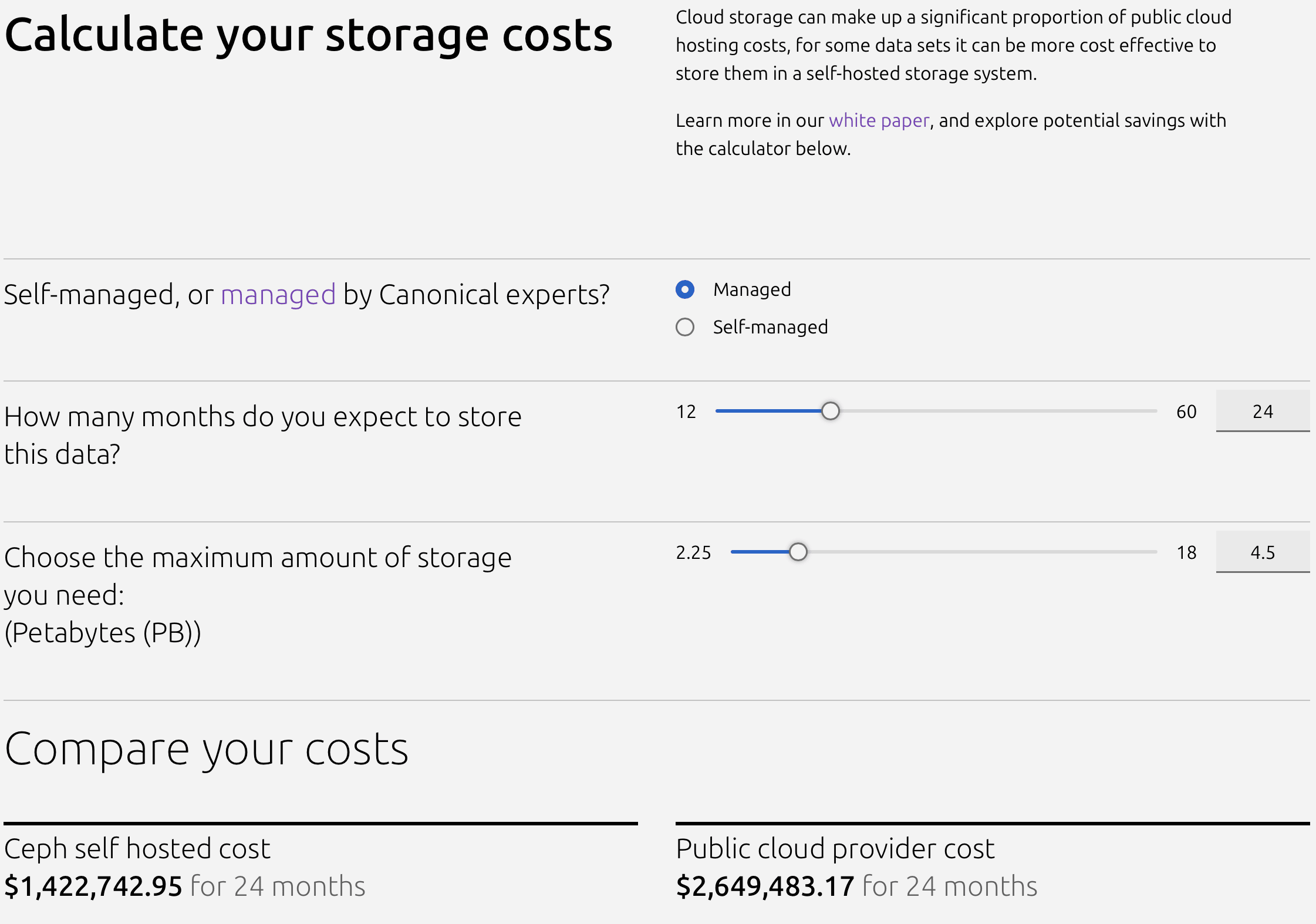
In our S3 cost calculator, you can get an indication of the total cost of ownership (TCO) for various capacities, in both fully managed and self-operated configurations, and for different project durations. For fairness, list prices have been used for both self-hosted and public cloud configurations, however it is commonplace for organizations to negotiate with vendors.
Generally, self-hosted solutions give the most advantageous TCO for longer periods of time – and they can even impart significant benefits (such as a quick return on investment) to short-term projects, when there is a large enough data set. To see this in action, try our TCO calculator.
Cloud storage cost comparison calculator
To recap: a self-hosted storage solution can provide a complementary solution to growing storage needs in the public cloud, with the main focus on cost control. However, as you would also retain full control over the solution and your data, there is an improved security and sovereignty posture too.
For a deep dive into the considerations and best practices you need to think about when designing and deploying your self-hosted storage solutions, you can read our dedicated and detailed whitepaper. It intensively breaks down the economics of your options, explains hardware selection and networking (using private interconnects) using a practical 2.5PB dataset as an example.
You can also see this theory in action by watching our hands-on webinar, where we walk you through this process in person, step-by-step, to build a truly cost-effective self-hosted storage solution.
If you have any questions, or want to reach out to discuss cost-optimization for your custom storage solution, don’t hesitate to reach out to our team.